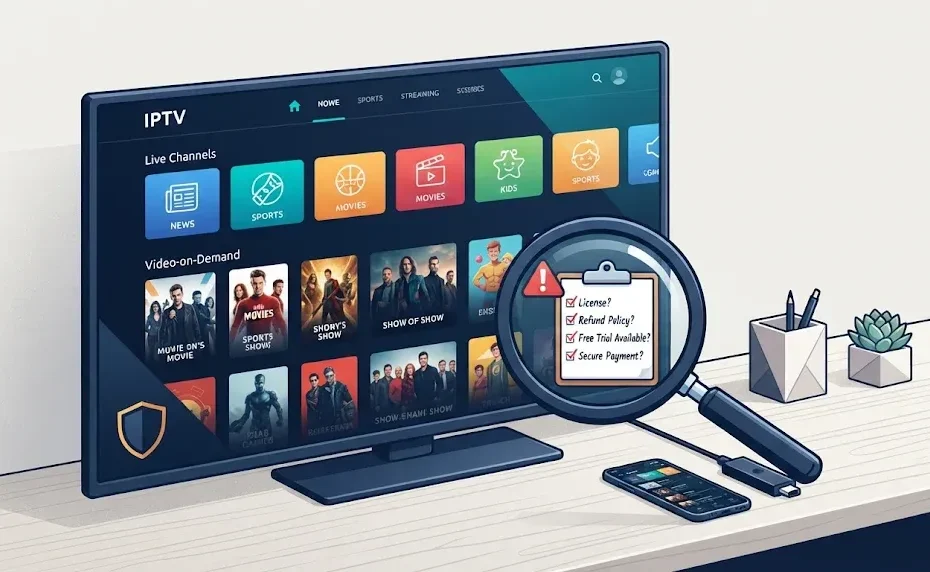
If you’ve searched for “TVLIO” lately, you’ve probably landed on pages promising tens of thousands of live channels, a massive on-demand library, and a cable-like experience for a fraction of the cost. Some of those pages even call it a “premium” IPTV service. The reality is more layered—and more confusing. TVLIO is not a single, clearly defined product with one official website. It’s a brand name attached to an IPTV (Internet Protocol Television) service, but the information you find online is inconsistent, and the domain most often associated with it has changed branding.
This guide cuts through the promotional noise. You’ll see exactly what TVLIO claims to offer, how it actually works, what the safety and legal picture looks like in 2026, and how it compares to legitimate live-TV streaming options. No hype, no fearmongering—just what you need to make a smart decision.
A quick note on what this guide covers: “TVLIO” also appears in search results as the name of a customer support or CPaaS platform (similar to Twilio), but the overwhelming majority of current searches and available reviews connect the term to IPTV streaming. This article focuses on the IPTV service, which is what most readers are looking for.
TVLIO at a Glance: What It Is (and What It Isn’t)
TVLIO is marketed as an IPTV subscription service. In plain terms, it delivers live TV channels and video-on-demand (VOD) content through your internet connection instead of a cable or satellite feed. You choose a plan, receive login credentials (often an M3U playlist link or Xtream Codes username and password), enter those details into a compatible IPTV player app, and start watching.
Here’s the critical distinction: TVLIO is a service brand, not an app you’ll find in the official Apple App Store or Google Play Store under that name. Public guides indicate that customers typically use third-party IPTV players like IPTV Smarters, TiviMate, or VLC Media Player to access the streams. That means TVLIO supplies the content access; the player supplies the interface. This separation is common in the IPTV world, but it also means there’s no single “TVLIO app” you can verify or review in an official app store.
The brand’s online presence has also shifted. The domain frequently cited as TVLIO’s website, tvlio.org, currently displays branding for a different service called one4k and lists different channel totals and pricing than what older review pages advertise. That inconsistency alone is a reason to proceed carefully: you need to confirm the exact brand, seller, and login method before you pay for anything.
TVLIO Features and Channel Claims: What the Numbers Really Mean
TVLIO promotional material makes bold claims. Depending on which review or archived page you read, you’ll see figures like 40,000+ live channels, 120,000+ movies and series, 99.9% uptime, anti-freeze technology, and instant activation. The current tvlio.org/one4k page reportedly lists different totals: 32,000+ live channels, 90,000+ movies, and 30,000+ series, along with features like a built-in VPN and an 8K library.
These are provider or publisher claims, not independently verified facts. A large headline number does not guarantee that every channel works, that streams are stable at peak times, or that the content is licensed in your country. Channels can be duplicated, geo-restricted, temporarily offline, or offered in lower resolution than advertised. The practical question isn’t “how many channels are there?” but “do the specific channels I actually watch work reliably, and can I test them before committing to a long plan?”
Advertised features commonly include:
- International live TV across entertainment, news, sports, and kids’ programming
- A VOD library with movies and series
- Electronic Program Guide (EPG) and catch-up TV on supported channels
- Compatibility with Smart TVs, Fire TV devices, Android and iOS, and IPTV boxes
- Multi-screen plans (depending on the package)
- Support via WhatsApp, Telegram, or email
TVLIO Pricing: What You’ll Actually Pay (and the Trap to Avoid)
Specific, stable pricing for TVLIO is difficult to pin down because the brand’s public-facing pages have changed. Review sources mention dollar-denominated plans, free trials, and 7-day money-back guarantees, but these figures are not consistently reproducible across current pages. Some plans appear to range from one month to a full year, with multi-device options available for an extra cost.
The bigger issue is plan length risk. A longer subscription lowers the monthly cost, but it also increases your exposure if the channel lineup changes, support disappears, or the service rebrands again. Consumer-protection analyses of IPTV services consistently recommend starting with a short trial or a one-month plan—never a full year—until you’ve confirmed that your must-have channels work on your device and your internet connection. A “lifetime” IPTV offer is a red flag: services change hands, servers go down, and “lifetime” rarely means what it implies.
The Safety and Legality Question: What You Need to Know Before Subscribing
This is the section most TVLIO reviews gloss over, so let’s be direct.
IPTV technology itself is legal. Delivering television over an IP network is how YouTube TV, Sling TV, and Hulu + Live TV operate. The legal question is whether the provider has the distribution rights for the channels it streams. Public analyses of TVLIO have noted that clear, independently verifiable broadcasting-license information is difficult to establish from available promotional material. That doesn’t automatically make it illegal, but it means you cannot confirm from the outside whether the service is properly licensed in your jurisdiction.
Trust-score sites offer a mixed picture. Scamadviser labels tvlio.net as “probably not a scam but legit,” citing a valid SSL certificate and a fair trust score, while also noting a low traffic rank and recommending caution. Gridinsoft’s automated checks have returned trust scores ranging from 55/100 to 65/100 across different TVLIO-related domains, with the lower scores emphasizing “trust but verify”. These scores are automated signals, not legal clearances.
The practical safety checklist before paying any IPTV provider:
- Use a short trial first. Test your essential channels on your actual device and internet connection.
- Pay with a method that offers recourse. Credit cards and PayPal offer dispute options that crypto or direct bank transfers do not.
- Read the refund policy carefully. Confirm how and when you can cancel.
- Never share your login credentials. IPTV providers often restrict simultaneous connections, and sharing can trigger errors or violate terms.
- Check your local laws. IPTV legality varies by country, and consumers can face risk if a service distributes copyrighted content without authorization.
TVLIO vs. Legitimate Live-TV Streaming: A Side-by-Side Comparison
The table below contrasts TVLIO with licensed live-TV streaming services. This is not an apples-to-apples feature comparison—it’s a risk-and-clarity comparison. The point is to show what you gain and what you give up when you choose an unverified IPTV brand over an official service.
The trade-off is obvious: official streamers cost more per month and offer fewer channels, but you know what you’re paying for, you can cancel without drama, and you’re not exposed to the licensing gray zone. TVLIO’s appeal is the promise of volume at a low price—but volume without verification is not value.
How to Set Up TVLIO (If You Decide to Try It)
If you’ve read this far and still want to test TVLIO with a short plan, here’s the practical setup sequence. The exact steps depend on the login format the seller provides.
Step 1: Choose a short plan. Start with a one-month subscription or a trial. Do not buy a year or a “lifetime” package before you’ve tested the service.
Step 2: Receive your credentials. After payment, you’ll get one of three login types: a username and password, an M3U playlist URL, or Xtream Codes credentials (username, password, and server URL). Activation may arrive by email or WhatsApp.
Step 3: Install a compatible IPTV player. On Android TV, Fire TV, or a smart TV, install an IPTV player such as IPTV Smarters or TiviMate from the relevant app store or the device’s app marketplace. On a computer, VLC Media Player can open M3U playlists. There is no single universal TVLIO app; the player is your interface.
Step 4: Enter your credentials. Open the player, choose the “login with Xtream Codes” or “add M3U URL” option, and enter the details you received. The player will load the channel list and EPG.
Step 5: Test your must-have channels first. Before browsing the full catalog, open the specific channels you care about most. Check for buffering, audio sync, and whether the stream is actually live or on a delay. Test during peak evening hours, when IPTV servers are under the most load.
Step 6: Use Ethernet if possible. IPTV streams are sensitive to network hiccups. A wired Ethernet connection is more stable than Wi-Fi, especially for HD and 4K streams. If you must use Wi-Fi, keep the device close to the router and avoid simultaneous heavy downloads during viewing.
The Bottom Line: Is TVLIO Worth It in 2026?
TVLIO is a high-uncertainty, high-volume IPTV brand. It advertises an enormous channel and VOD library at a price that undercuts official live-TV streamers, and for some budget-focused users, a short trial may be worth testing. But the information environment around TVLIO is inconsistent: the official-looking website has rebranded, channel totals differ across pages, licensing is not independently verifiable, and there is no official app in major app stores. Trust-score sites offer cautious, mixed signals rather than a clean bill of health.
If your priority is legality, reliability, and official device support, a licensed streaming service—even a cheaper live-TV option like Sling TV or a free ad-supported platform like Pluto TV—is the safer choice. You’ll get fewer channels, but you’ll know exactly what you’re paying for and you’ll have consumer protections if something goes wrong.
If you decide to test TVLIO anyway, do it the smart way: start with the shortest plan available, pay with a method that offers recourse, test your essential channels on your actual setup, and never commit to a long subscription until you’ve confirmed the service works for you. A low monthly price is only a good deal if the service actually delivers what you need—and with TVLIO, that “if” is doing a lot of work.
You Also Like To Read: PushWiki Com in 2026: The Fully Updated Guide to What It Is, What’s Real, and What to Ignore